How to Invoice Without Internet: Offline Invoicing From a USB Stick
Create professional invoices without internet access using Zahpy Pro. Learn how to work offline, export PDF invoices, use payment links, and even run the Windows version from a USB stick.
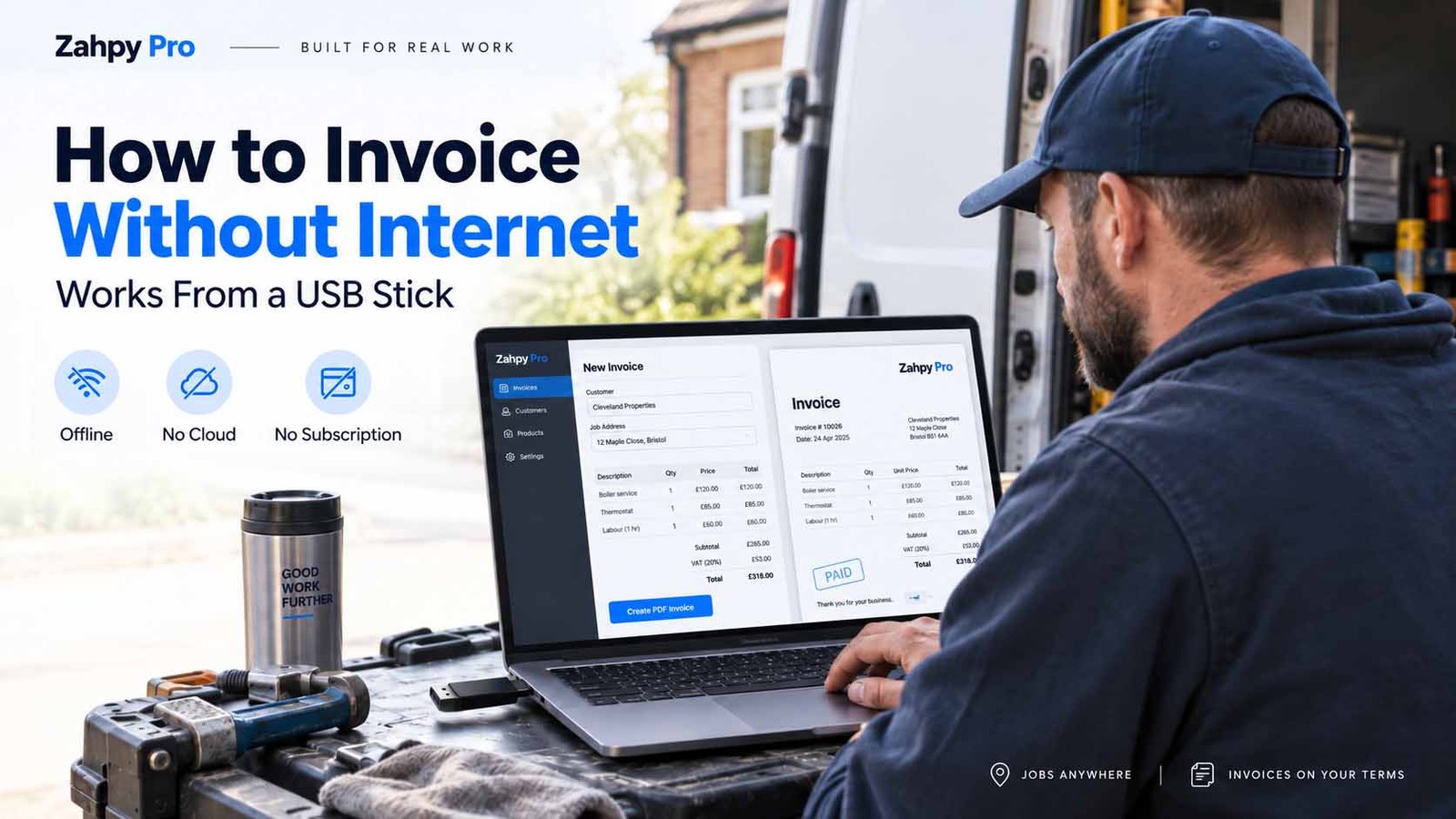
Get Zahpy Pro — $10 One-Time Purchase →A plumber I spoke with recently told me something that sounded almost too simple.
He keeps his invoicing software on a USB stick.
Not because he loves technology. Actually, the opposite.
He was tired of standing in basements, warehouses, rural properties, and construction sites waiting for his cloud invoicing software to load.
Sometimes there was barely any mobile signal. Sometimes there was no Wi-Fi at all. And while his client was ready to pay, he was staring at a loading screen.
Eventually, he changed the way he worked.
Instead of relying on the internet, he moved his invoicing process offline.
Now he plugs in his USB stick, opens his invoicing software, creates the invoice, saves it as a PDF, and he's done.
No internet connection required.
That's one of the reasons I built Zahpy Pro as offline invoicing software.
If you regularly work in places where internet access isn't guaranteed, here's how offline invoicing works and why it can make running your business much easier.
Why Offline Invoicing Still Matters

Most modern invoicing apps are built around one assumption: you're always connected to the internet.
For many freelancers and office-based businesses, that may not be a problem.
But if you're a plumber, electrician, contractor, technician, consultant, photographer, mobile service provider, or tradesperson, your work doesn't always happen somewhere with reliable Wi-Fi.
You may find yourself working:
In rural areas with weak mobile coverage
Inside basements where cellular signals disappear
On construction sites without Wi-Fi
Inside large commercial buildings with thick concrete walls
From your van between appointments
On customer computers with restricted internet access
On company laptops where you aren't allowed to install software
In those situations, being able to create an invoice without internet access isn't just convenient.
It can help you finish the job, invoice the customer immediately, and move on.
Instead of telling a customer, "I'll email the invoice later," you can hand them the completed invoice before you leave.
What Do You Need to Create Invoices Offline?
Not much.
A good offline invoicing setup only requires a few things.
You need:
An invoicing application that works locally on your computer
The ability
to create or export invoices as PDF files
Local storage for your customer and business information
That's basically it.
You don't necessarily need:
Wi-Fi
Mobile data
A cloud account
A monthly subscription
An online login every time you create an invoice
Your laptop becomes the entire invoicing system.
And if your invoicing software is portable, even the computer doesn't have to be permanent.
That's where a USB stick becomes useful.
How to Invoice From a USB Stick
For people who work in different locations, a portable invoicing setup can be surprisingly practical.
Here's one way to do it with Zahpy Pro.
Step 1: Put Your Invoicing Software on a USB Stick
The Windows version of Zahpy Pro is designed to be portable.
Instead of going through a traditional installation process, you can keep the application on a USB drive and run it from there.
That means you can carry your invoicing software with you.
Plug the USB drive into a Windows computer, open Zahpy Pro, and start working.
There's no traditional installation wizard and no need to build your invoicing workflow around a permanent cloud account.
This can be especially useful if you regularly move between computers.
Step 2: Add Your Business Information
Once you open the software, set up your business information.
That can include things like:
Business name
Address
Phone number
Email address
Business logo
Payment terms
Invoice notes
PayPal or Stripe payment links
You only need to configure this information once.
After that, it becomes part of your invoicing workflow.
Instead of rebuilding an invoice from scratch every time, your business details are already there.
Step 3: Create the Invoice While You're With the Customer
This is where offline invoicing becomes genuinely useful.
Imagine you've just finished a job in a basement where there's almost no mobile reception.
Instead of waiting until you get back to the office, you can open Zahpy Pro and create the invoice immediately.
Select the customer, add the products or services, enter the quantity and price, review the invoice, and export it as a PDF.
The customer can receive a professional invoice even though your computer isn't connected to the internet.
You can print the PDF immediately if a printer is available or send it later when you're back online.
Either way, the invoice itself is already finished.
Can You Add a Payment Link to an Offline Invoice?
Yes.

Creating an invoice offline doesn't mean the customer can't pay online.
Zahpy Pro allows you to include payment links such as PayPal or Stripe on your invoices.
You can also include a QR code on the PDF.
The important difference is this: you don't need internet access to create the invoice.
When your customer scans the QR code or opens the payment link, their device connects to the payment provider.
So your invoicing software can stay offline while your customer still gets the convenience of online payment.
Who Benefits Most From Offline Invoicing Software?
Offline invoicing can work for almost any small business, but it is particularly useful for people who work away from a traditional office.
Contractors
Create invoices while you're still at the job site instead of waiting until you get home.
Plumbers and Electricians
Invoice customers from basements, mechanical rooms, and buildings where mobile reception may be poor.
Mobile Technicians
Generate invoices from a laptop while traveling between customers.
Freelancers
Keep your invoicing system locally without depending entirely on a cloud service.
Photographers
Prepare invoices from studios, event venues, or locations where internet access isn't guaranteed.
Consultants
Carry your invoicing system between different client locations.
Small Businesses
Keep invoicing available even during internet outages.
What Happens If the Internet Goes Down?
With cloud invoicing software, an internet outage can sometimes mean your invoicing system becomes unavailable.
With offline invoicing software, the internet connection isn't required for the basic invoicing process.
You can still:
Create invoices
Edit customer details
Add products or services
Calculate totals
Save invoices
Export invoices as PDFs
When the internet returns, you can email the invoice or use any online services you normally use.
Your invoicing work doesn't have to stop just because the connection does.
Is Offline Invoicing More Private?
It can be.
Cloud-based invoicing systems normally store your data on company servers.
That can include information such as:
Customer names
Email addresses
Billing information
Invoice totals
Business revenue
Transaction records
With a local-first invoicing system, your business information stays on the device you're using rather than automatically being uploaded to a cloud platform.
Zahpy Pro is designed around this local-first approach.
Your invoicing data stays on your device, and the data is protected using AES-256 encryption.
For business owners who prefer keeping financial and customer information locally, this can provide more control over where their data lives.
What If I Lose My USB Stick?
A USB stick is convenient, but you shouldn't treat it as your only copy of important business data.
The same rule applies to any computer.
Always keep backups.
Zahpy Pro includes a backup feature so you can maintain another copy of your invoicing data.
For example, you might keep:
Your working copy on your USB stick
A second copy on your computer
Another encrypted backup on an external drive
An optional backup in Google Drive or Dropbox
The software itself can remain offline even if you choose to use cloud storage simply for backup purposes.
The important thing is not relying on a single physical device.
Can I Create Offline Invoices on a Mac?
Zahpy Pro also has a Browser App version that can be used through browsers such as Safari or Chrome.
That gives Mac users access to the invoicing workflow without relying on the portable Windows .exe.
The exact workflow is slightly different from the USB method, but the same idea remains: keep invoicing simple, local, and independent from a traditional subscription-based cloud platform.
Offline Invoicing vs Cloud Invoicing
Cloud software certainly has advantages.
It can make syncing between devices easy and allow teams to access the same data from different locations.
But it also creates a dependency.
If the service is unavailable, your login doesn't work, your subscription expires, or your internet connection disappears, you may temporarily lose access to the tools you rely on.
Offline invoicing software takes a different approach.
Your software runs locally.
Your files remain available locally.
And your ability to create an invoice isn't tied to whether a server somewhere else is online.
For some businesses, that's simply a better fit.
Why I Built Zahpy Pro as Offline Invoicing Software
One of the frustrations I kept hearing from small business owners was how dependent everyday software had become on subscriptions and cloud accounts.
The software might start inexpensive.
Then the pricing changes.
A new feature gets moved into a higher subscription plan.
An account gets locked.
An update changes the workflow.
Or the service simply isn't available when you need it.
One business owner told me he temporarily lost access to years of invoices after missing a subscription payment.
That stuck with me.
If software is essential to your business, you should have more control over it.
That's the idea behind Zahpy Pro.
You buy the software once and keep using it.
No monthly subscription.
No required cloud account.
No internet connection required for everyday invoicing.
And on Windows, you can even keep it on a USB stick.
How Much Does Zahpy Pro Cost?
Zahpy Pro costs $10 as a one-time purchase.
There is no monthly subscription.
You buy it once and keep using it.
The goal isn't to replace every large accounting platform.
It's to give freelancers, tradespeople, contractors, and small businesses a simple way to create professional invoices without depending on the internet or another monthly bill.
Get Zahpy Pro — $10 One-Time Purchase →
Frequently Asked Questions About Offline Invoicing
Can I create an invoice without internet?
Yes. If you're using offline invoicing software, the invoice can be created and saved directly on your computer without an internet connection.
Does my customer need internet?
Not to receive a printed invoice or PDF.
If you include an online payment link or QR code, your customer will need internet access when they use that payment service.
Can invoicing software run from a USB stick?
Portable invoicing software can. Zahpy Pro's Windows version can be stored and run from a USB drive, making it easier to move between compatible Windows computers.
Where is my customer information stored?
Zahpy Pro stores invoicing data locally rather than automatically sending it to a cloud server.
Is the data encrypted?
Zahpy Pro protects locally stored invoicing data using AES-256 encryption.
Do I need a subscription?
No. Zahpy Pro is sold as a one-time purchase rather than a monthly subscription.
Can I create PDF invoices offline?
Yes. You can create your invoice and export it as a PDF without needing to be connected to the internet.
Quick Recap
| Question | Answer |
|---|---|
| Can I invoice without internet? | Yes. Zahpy Pro works offline. |
| Do I need a cloud account? | No. |
| Where is my invoice data stored? | Locally on your device. |
| Is the data encrypted? | Yes, using AES-256 encryption. |
| Can I run it from a USB stick? | Yes, with the Windows version. |
| Can invoices include payment links? | Yes. |
| Can I export PDF invoices offline? | Yes. |
| Is there a monthly subscription? | No. |
| How much is Zahpy Pro? | $10 one-time. |
Final Thoughts
Internet access is useful.
Your invoicing software just shouldn't become useless without it.
If your work takes you into basements, construction sites, rural properties, customer offices, warehouses, or anywhere else with unreliable connectivity, having an offline invoicing option gives you one less thing to worry about.
Finish the work.
Create the invoice.
Save the PDF.
Get paid.
And move on to the next job.
That's exactly what Zahpy Pro was built to do.